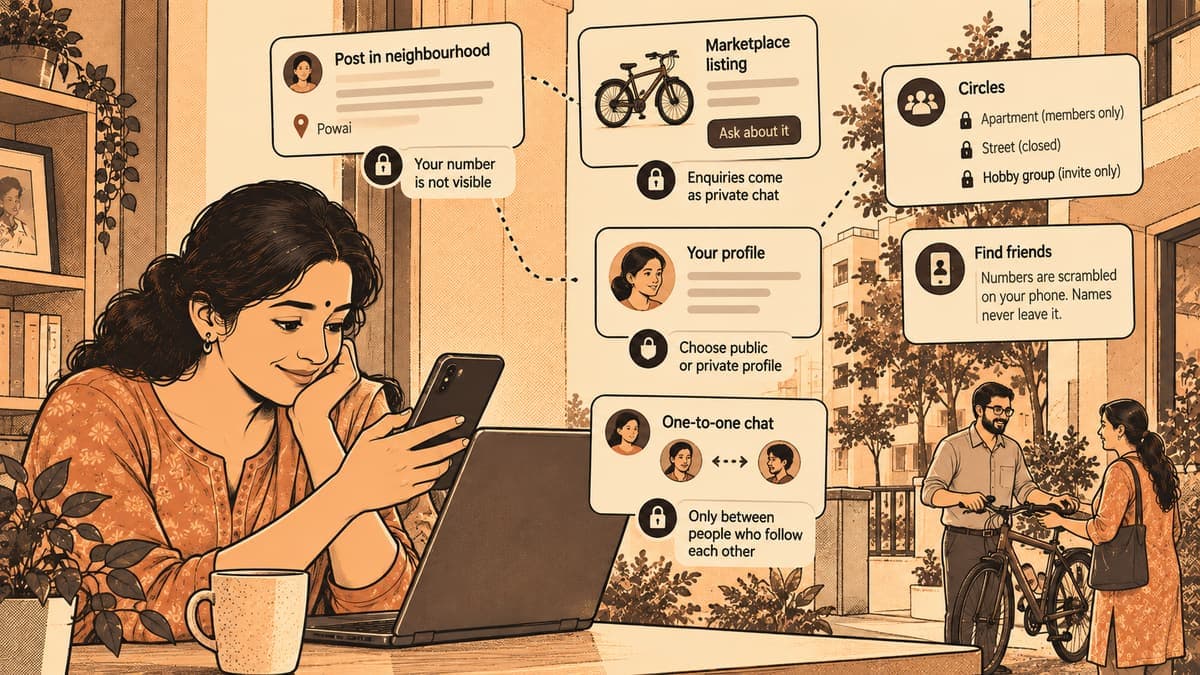
- You can sell without sharing your number, since buyers start a private chat and your number stays hidden.
- One-to-one chats only open between people who follow each other, so strangers cannot message you.
- Settings help, but keep flat numbers, empty-house news and children's details out of public posts.
The first thing many people ask before joining a neighbourhood app is not "what can I do here?" but "who will see my number?" It is a fair question. In most apartment WhatsApp groups, your phone number is visible to every member the moment you are added, including the person who joined last week and the one who only shows up to forward good-morning messages.
A neighbourhood app is different in one important way: it is built around a place. That makes it useful, because the people you meet live near you. It also means you should think a little about what you share, because the people reading also live near you.
This guide walks through what stays private on Zinola, what is visible and to whom, and a few simple habits that keep your home and family details where they belong.
What a neighbour can see, and what they can't
Here is a plain summary of the main parts of the app and who can see what.
| Part of the app | What others see | What stays private |
|---|---|---|
| Posts and replies in your neighbourhood | Your name and what you posted | Your phone number is never shown on posts |
| Marketplace listings | The listing and its details | Enquiries come as a private chat; your number stays hidden unless you choose to share it |
| Your profile | What you've posted publicly | If your account is private, people must ask to follow you and you approve them |
| One-to-one chats | Only the two of you | Possible only between people who follow each other |
| Circles | Depends on the circle | Closed circles are members only; invite-only circles are hidden |
| Find friends | Which contacts are already on Zinola | Numbers are scrambled on your phone, and names never leave it |
The short version: your number is not something you hand out by joining. You decide when, and to whom, you share it.
Selling without giving out your number
Say you live in Dwarka, Delhi, and you're selling a child's cycle your son has outgrown. On a classifieds site you'd often put your mobile number in the ad and then get calls at odd hours for weeks after it has gone.
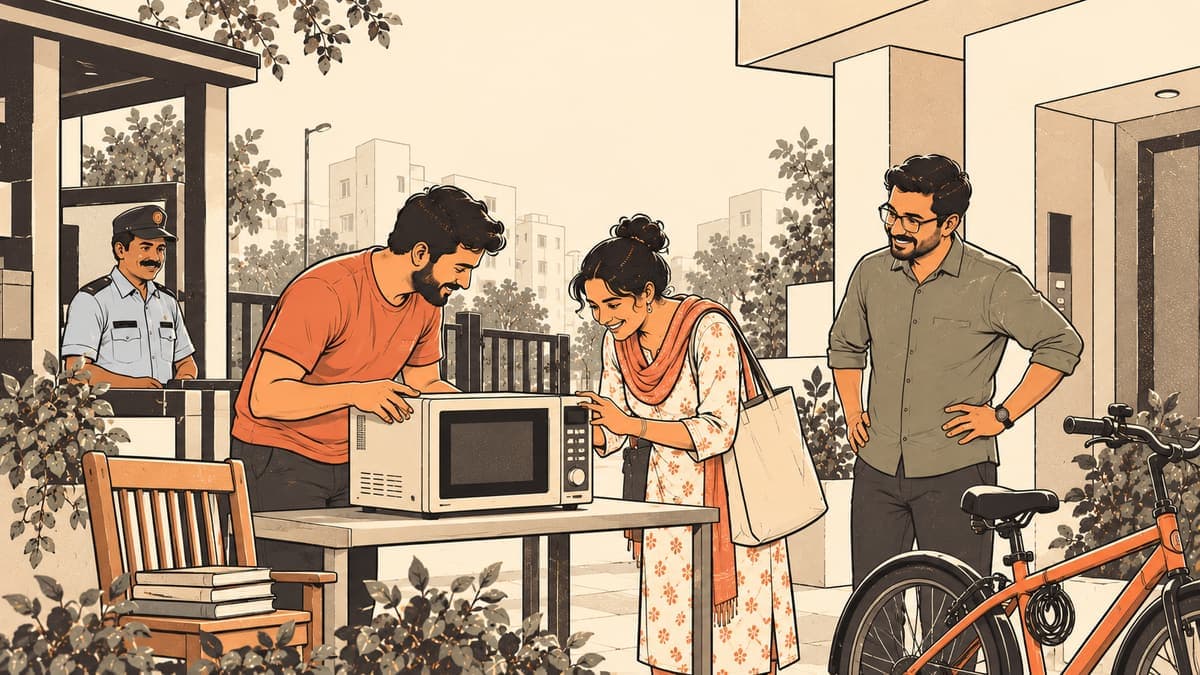
On the marketplace, a buyer taps "Ask about it" or "Enquire", and that opens a private chat with you. Your number stays hidden. If the buyer seems genuine and you want to talk on the phone to fix a time, you can share your number in that chat. If not, you never have to. You also pick who sees the listing in the first place: chosen areas, your city, or only your circles.
When the cycle is gone, mark it sold. Listings also end on their own after 30 days unless you renew them, so old ads don't keep drawing messages. For more on how selling works, see selling to your neighbourhood.
Who can message you, and who can follow you
A common worry with any app that has a people directory is strangers sliding into your inbox. On Zinola, one-to-one chats work only between people who follow each other. Someone you've never met can't just open a private chat with you because they found your name.
If you'd like more control, make your account private. Then anyone who wants to follow you sends a request and you approve it, or don't. This suits people who want to read what's happening in their area, ask the odd question, and keep their own profile low-key. It can suit older residents and parents of young children well.
Group conversations happen inside circles, not as random group chats. A closed circle is readable only by its members. An invite-only circle doesn't even show up for people outside it. So the Kids & parents group in your apartment circle is not something anyone in your city can browse.
Finding friends without uploading your address book
"Find friends from contacts" sounds alarming if you've seen other apps copy whole address books. On Zinola, the numbers are scrambled on your phone before anything is matched, and the names in your contacts never leave your phone. What you get back is simply which of your contacts are already on Zinola, so you can follow them.
If you'd rather not use it at all, you can invite people by WhatsApp, SMS or an invite QR code instead.
Your own habits matter as much as the settings
Settings protect your number. They can't stop you from posting details that are better kept to yourself. A few habits worth building:
- Don't post your door or flat number on public posts. Your street or area is enough for a neighbour to understand where you are. Share the exact address only in a private chat, with someone you've decided to meet.
- Don't announce that the house is empty. "Leaving for my hometown for Diwali, back on the 20th" is best said in a closed circle with neighbours you know, if at all.
- Keep children's details vague. "Looking for a Class 5 tuition near Kondapur" is fine. Your child's full name, school and bus timing is not something to post publicly.
- Meet in common places. For a marketplace handover, the apartment lobby, the security cabin or a busy shop front works better than inviting someone up.
- Think before you forward. A helper's number shared inside your circle's Trusted helpers board is visible to members only. Copying it into a public post undoes that.
None of this is about being suspicious of your neighbours. It's the same common sense you'd use at the gate with someone you've just met.
Where Zinola fits
Zinola is a free neighbourhood app for India, and its privacy choices are built around how people actually use it: asking for a plumber, selling a sofa, planning a Holi get-together in the colony.
- Phone numbers are never shown on posts.
- Marketplace enquiries are private chats, and numbers stay hidden unless the seller shares one.
- Private accounts approve every follower.
- One-to-one chats are only between people who follow each other.
- Circles can be open, closed (members only) or invite-only (hidden).
- Find friends scrambles numbers on your phone, and names never leave it.
If something does go wrong, you can block a person or report a post. Reported content is hidden after reports and reviewed by the team. We cover how and when to use those tools in how reporting and blocking keep a community friendly, and the community rules set out what isn't allowed.
Privacy on a neighbourhood app isn't about hiding from the people around you. It's about choosing what each of them gets to know, and when.
Questions people ask
- Is my phone number shown to other people on Zinola?
- No. Phone numbers are never shown on posts, and marketplace enquiries come as a private chat where your number stays hidden unless you choose to share it.
- Can a stranger message me privately on Zinola?
- One-to-one chats work only between people who follow each other. If your account is private, people also need your approval to follow you.
- Does Find friends upload my contacts?
- Numbers are scrambled on your phone before matching, and the names in your contacts never leave your phone.
- Who can read a closed circle?
- Only its members. Invite-only circles are also hidden from people outside them.
Join your neighbourhood, on your terms
Zinola is free for Chennai residents. Your number stays off your posts, and you choose who follows you.
Get the app