- Agree on what a good neighbourhood community needs before choosing a tool for it.
- Pick the right circle type, write a few simple rules and fill the board with useful information first.
- Invite in layers using links or QR codes, and give people small regular reasons to return.
Your neighbourhood already has a digital life. It is just scattered. The apartment association has one chat group. The school parents have another. The temple committee, the walkers' group, the cricket boys and the "Buy and sell — Kothrud" group each have their own. Someone keeps a spreadsheet of plumbers. Someone else has the corporation helpline saved on their phone and nobody else does.
Every one of these exists because people needed it. But together they form a maze. New residents don't know which group to join. Older residents get added to fifteen groups and mute them all. Useful information is copied from one place to another, or lost.
A neighbourhood deserves better: one digital community that is built around the place itself. This article looks at what such a community needs to get right, how different tools compare, and how to set one up for your own area.
What a good neighbourhood community needs
Before choosing any tool, it's worth agreeing on what "good" means. Here is a checklist many RWA committees and active residents find useful:
- It is tied to a place. People see what's happening around them first, not across the city.
- It is organised. Notices, questions, buying and selling, and events don't all fight in one stream.
- It protects privacy. Phone numbers aren't exposed to everyone. Strangers can't message you without your say.
- It is fair. Good advice rises because people found it useful, not because someone paid.
- It has rules and moderators. There's a clear way to block, report and remove abusive content.
- It is free and simple. Grandparents and teenagers alike should be able to use it.
- It remembers. Important numbers, timings and answers stay findable for months, not minutes.
If your current setup ticks most of these, keep it. If it doesn't, read on.
How common tools compare
Different tools are built for different jobs. None is "bad"; they just solve different problems.
| Need | Chat groups | City-wide social networks | Online classifieds | A neighbourhood-first app |
|---|---|---|---|---|
| Quick conversation | Excellent | Good | Not built for it | Good, inside groups |
| Shows what's near you first | Only if the group is local | Often city-wide or wider | Varies | Yes, by design |
| Notices that don't get buried | Hard in busy groups | Depends on the feed | Not built for it | Pinned items and board tools |
| Local events with responses | Possible with effort | Usually supported | Not built for it | Built in |
| Reviews of local businesses | Scattered in threads | Varies | Rarely | Built in |
| Privacy of phone numbers | Usually visible to members | Varies | Often shared to sell | Hidden by default |
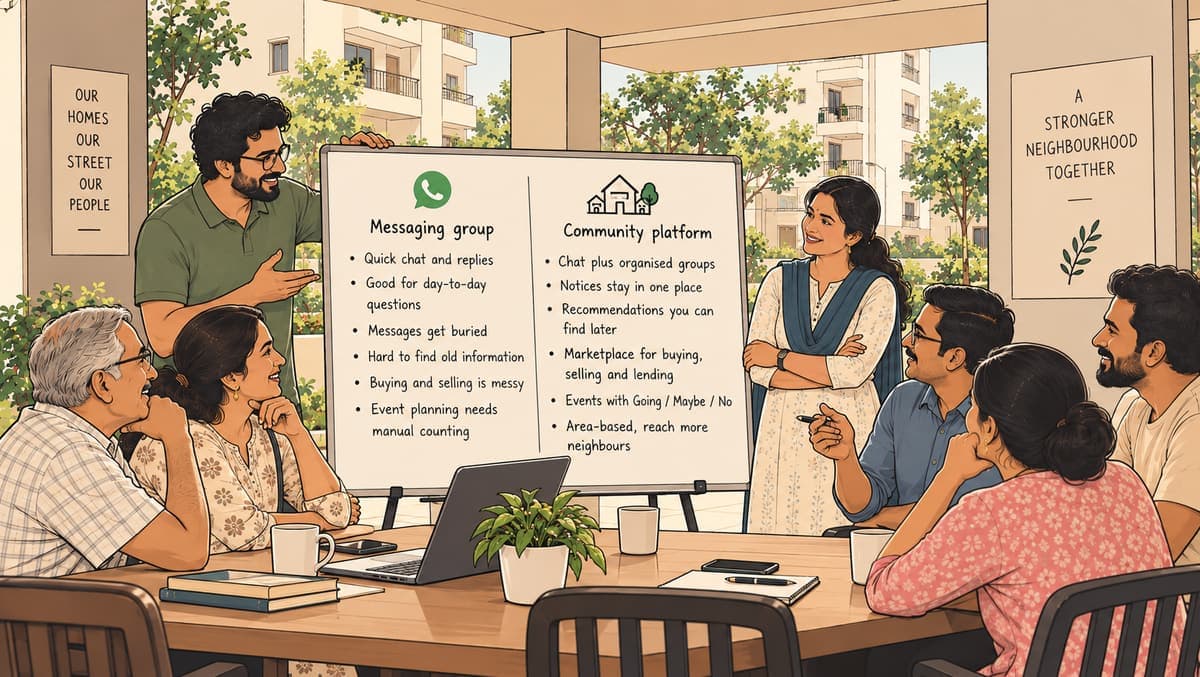
The point isn't to throw away chat groups. Family and friends will keep using them. The point is that a whole neighbourhood has needs that one big chat was never designed for. We go deeper on this in WhatsApp groups vs community platforms.
Where Zinola fits
Zinola is a free neighbourhood app and website for neighbourhoods across India, available on Android, iPhone and the web. It is built around the checklist above.
- Place first. You pick your area once — Salt Lake in Kolkata, Gomti Nagar in Lucknow, Navrangpura in Ahmedabad or any neighbourhood in your city — or tap "Find my neighbourhood". Home then shows "Neighbourhood" posts from people around you and "What's on" for events nearby.
- Organised by design. Circles are groups for an apartment or RWA, a neighbourhood, an interest club, a school group or a workplace. Each circle has a General chat, optional admin-only Announcements, and up to 20 groups such as Maintenance, Parking or Lost & found. "Buy & sell" and "Polls & events" rooms are created automatically.
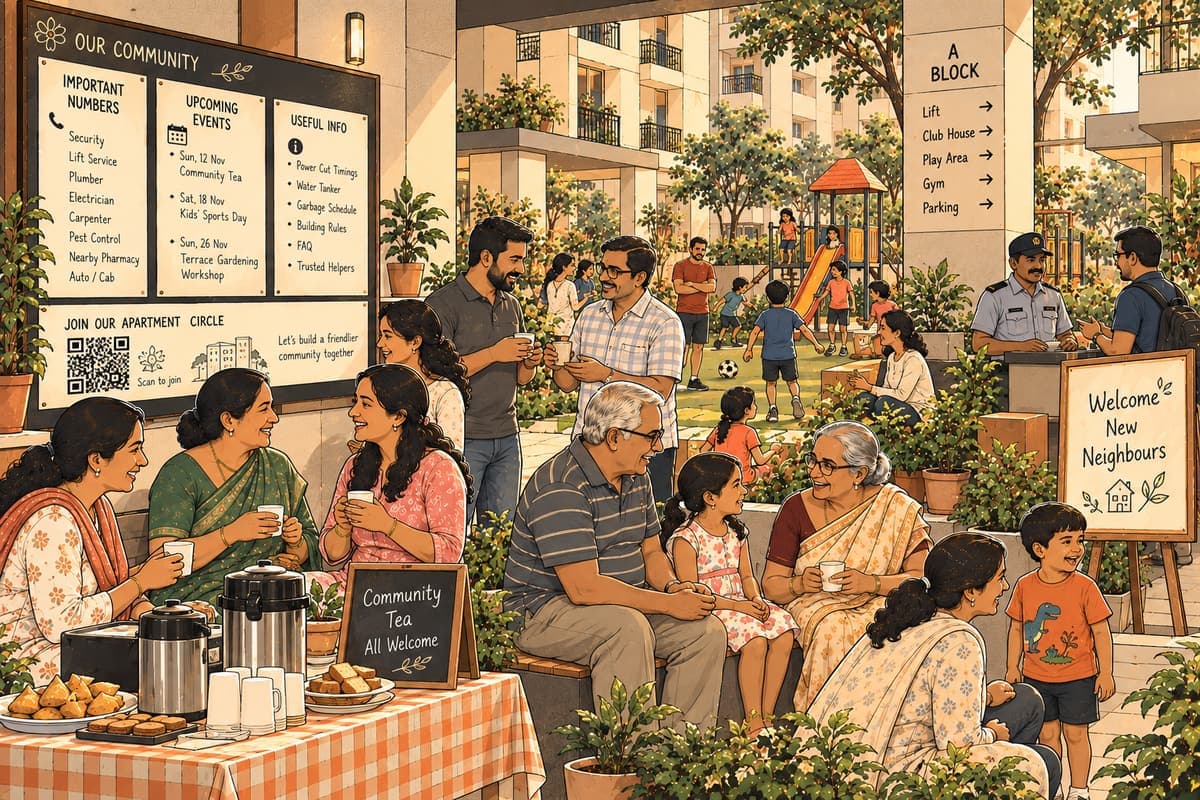
- Tools that remember. Board tools include Important numbers, Alerts & timings, FAQ, Tips and Trusted helpers — helpers vouched for by members with "I use them too". (These are recommendations from neighbours, not an official check by Zinola.)
- Privacy. Phone numbers are never shown on posts. One-to-one chats open only between people who follow each other. In the marketplace, buyers enquire through a private chat and the seller's number stays hidden unless they choose to share it.
- Fairness. No ads, no paid ranking. Answers neighbours agree with rise to the top, and you can read how ranking works.
- Rules and safety. Owners and moderators run each circle, with rules up to 3,000 characters. Anyone can block and report; reported content is hidden and reviewed by the team.
Setting one up for your area
If you're an RWA member, a street volunteer or simply the person who always ends up organising things, here's a practical way to begin:
Step 1: Pick the right shape
An apartment complex suits an Apartment or residents' association circle. A few streets together suit a Neighbourhood circle. Decide whether it is Open (anyone can read), Closed (members only) or invite-only.
Step 2: Write simple rules
Three or four lines are enough to start: be respectful, no forwards unrelated to the area, no selling outside Buy & sell, no sharing others' numbers.
Step 3: Fill the board before inviting
Add Important numbers (city corporation ward office, electricity board complaint line, nearest hospital, security), current Alerts & timings and a short FAQ. People join when they see something useful waiting.
Step 4: Invite in layers
Start with the committee and a few active residents. Then share an invite link or QR code at the gate, in the lift and at the next association meeting. Links can be limited or set to expire.
Step 5: Give people a reason to return
Run a poll on the Diwali decorations. Post the next tanker timing. Plan a Sunday clean-up as an event. Small, regular usefulness builds habit.
Our step-by-step guide on starting a street on Zinola for RWAs and apartments covers the details.
Why it's worth the effort
A neighbourhood is one of the few places where people of every age, language and background share the same roads, the same water supply and the same monsoon. When that shared life has a proper digital home, small things get easier: finding a plumber, hearing about a power cut, selling a cot, turning up to a festival. Over time, those small things add up to a place that feels like a community, not just a postcode. For the bigger idea behind all this, read know your local world.
Questions people ask
- What kinds of circles can I create on Zinola?
- Apartment or residents' association, Neighbourhood, Interest club, School group, Workplace, or Something else. Each can be open, closed or invite-only.
- How do people join a circle?
- By asking to join (with optional join questions), through personal invites, or via invite links and QR codes, which can be limited or set to expire.
- Does Zinola vet Trusted helpers?
- No. Trusted helpers are recommendations vouched for by members with "I use them too", not an official check by Zinola. Their numbers are visible to members only.
- Can anyone message me directly on Zinola?
- No. One-to-one chats only open between people who follow each other; group chats live inside circles.
Start your area's circle
Set up a circle for your apartment or street with chats, announcements, polls and important numbers.
Start a circle